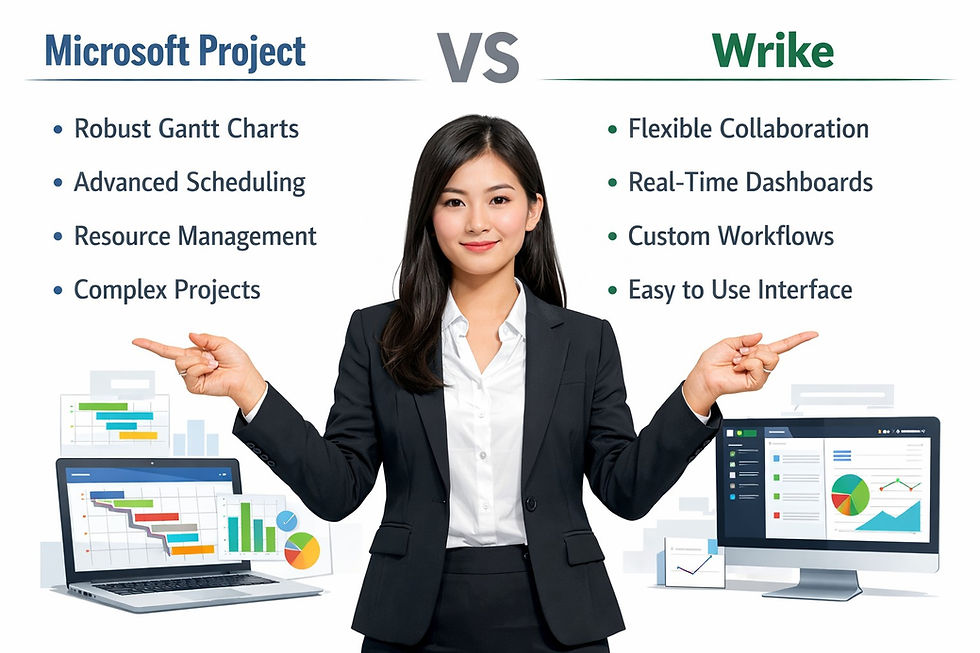
Microsoft Project vs Adobe Workfront: Enterprise Project Management Software Comparison

Choosing the right project management tool can be a make-or-break decision for enterprise organizations. With a plethora of options available, Microsoft Project and Adobe Workfront stand out as two of the most comprehensive solutions tailored to meet the specific needs of large organizations. Both have their unique strengths and weaknesses, especially when it comes to enterprise scheduling capabilities.
This article will explore the nuances of Microsoft Project vs Adobe Workfront, offering a detailed comparison that can help decision-makers choose the best fit for their project management needs.

Microsoft Project Overview: Strengths and Features Explained
Microsoft Project is a robust project management software that's been a staple in the industry for decades. It offers a variety of features designed to facilitate detailed project planning, tracking, and reporting. One of its standout strengths is the Gantt chart functionality, which allows project managers to visually map out project timelines and resources. This capability is particularly valuable for enterprises that handle multiple projects simultaneously, as it offers a clear visual representation of schedules and deadlines.
Another significant feature of Microsoft Project is its integration with other Microsoft tools like Excel, SharePoint, and Teams. This tight-knit ecosystem allows for seamless data sharing and collaboration across departments. For enterprises looking to streamline their project management processes, this aspect can lead to enhanced efficiency. The ability to import data from Excel or export it to Power BI for advanced analytics can help organizations make informed decisions based on real-time data.
However, while Microsoft Project offers a powerful suite of features, it may also present a steep learning curve for new users. Its extensive functionalities can overwhelm less tech-savvy team members, particularly those in organizations that may not specialize in project management. This could result in a slower onboarding process, impacting immediate productivity.
Adobe Workfront Overview: Strengths and Features Explained
Adobe Workfront is designed with the modern enterprise in mind, focusing heavily on collaboration and workflow management. One of its key strengths is the ability to customize workflows to fit specific organizational needs. This flexibility allows teams to create tailored project templates that can be reused across various projects, greatly enhancing efficiency. The platform is particularly popular among creative teams and marketing departments, where collaboration is crucial.
Another noteworthy feature of Adobe Workfront is its integration with Adobe's Creative Cloud suite. This is particularly beneficial for organizations that rely on design and media production, as it facilitates a seamless transition between project management and creative execution. With features like proofing, task assignments, and file sharing, teams can work together in real time, reducing the time it takes to get projects from concept to completion.
Additionally, Adobe Workfront's reporting and analytics capabilities stand out, allowing organizations to gain insights into productivity, resource utilization, and project profitability. This level of visibility can empower enterprises to make data-driven decisions, helping them allocate resources effectively and optimize their project management strategies. However, some users report that the interface can be less intuitive compared to competitors, requiring time to familiarize themselves with the various features.
Key Differences in Scheduling Capabilities of Both Tools
When it comes to scheduling capabilities, Microsoft Project and Adobe Workfront adopt different approaches. Microsoft Project excels in detailed task scheduling, allowing project managers to set dependencies, allocate resources, and track progress through Gantt charts and calendars. This granular level of detail makes it particularly suitable for complex projects requiring strict adherence to timelines. The scheduling engine is robust, enabling users to create intricate project plans that automatically adjust based on resource availability.
In contrast, Adobe Workfront takes a more holistic view of scheduling, focusing on team collaboration and workflow efficiency. While it does offer scheduling capabilities, they are not as detailed as those found in Microsoft Project. Adobe Workfront emphasizes the importance of team dynamics, allowing project managers to shift tasks and deadlines based on real-time team availability and workload. This flexibility can be advantageous for organizations that prioritize agility and adaptability in their project management processes.
The choice between Microsoft Project and Adobe Workfront often comes down to the specific needs of the organization. Enterprises that require meticulous planning and detailed scheduling may find Microsoft Project more aligned with their goals. On the other hand, organizations seeking a more collaborative approach to project management might lean towards Adobe Workfront for its user-friendly interface and adaptable workflows.
User Experience: Interfaces and Navigation Compared
User experience plays a crucial role in the adoption and effective use of project management tools. Microsoft Project, with its feature-rich interface, offers a plethora of functionalities, but this can sometimes lead to confusion for new users. The ribbon-style navigation and extensive menus may feel overwhelming, especially for enterprises that need to onboard multiple team members quickly. However, for those familiar with Microsoft products, the layout can feel relatively intuitive, facilitating a smoother transition.
On the other hand, Adobe Workfront prioritizes user experience with a more modern and visually appealing interface. It incorporates a dashboard that provides quick access to key metrics, upcoming tasks, and project statuses. This design is particularly beneficial for teams that rely on real-time updates and collaborative features. The intuitive drag-and-drop functionality for task assignments simplifies the management process, making it easier for users to adjust timelines and workloads on the fly.
Despite these differences, both platforms have their strengths and weaknesses in user experience. While Microsoft Project is more suited for detailed project planning, Adobe Workfront excels in collaborative environments. Organizations should consider the skill levels of their teams and the nature of their projects when determining which tool will provide the best user experience.
Integration Options: Connecting with Other Business Tools
Integration with other business tools is crucial for enterprises looking to create a streamlined workflow. Microsoft Project seamlessly integrates with other Microsoft applications, such as Excel, Outlook, and Teams. This connectivity allows for the easy sharing of documents, schedules, and communications within the Microsoft ecosystem. For companies already invested in Microsoft products, this integration can enhance productivity and ensure that all team members have access to the same information, improving collaboration.
Adobe Workfront also boasts robust integration capabilities, particularly with Adobe’s suite of creative tools, as well as with project management platforms like Jira and Trello. This is particularly beneficial for marketing and creative teams that require a highly collaborative environment. The ability to connect with other tools allows users to centralize project information and workflows, reducing the need to switch between multiple applications, which can impede productivity.
The choice of integration options often affects how effectively teams can collaborate and share information. Microsoft Project's deep integration with its own products offers a comprehensive solution for enterprises already using Microsoft systems. In contrast, Adobe Workfront's flexibility in connecting with a variety of creative and project management tools makes it appealing to organizations with diverse tech stacks.
Pricing Structures: Cost Analysis for Enterprises
Pricing is undoubtedly a significant factor in the decision-making process when choosing project management tools. Microsoft Project offers a subscription-based pricing model that varies based on the features and number of users. The pricing can be competitive, especially for enterprises that require advanced project planning features, but costs can add up, particularly for larger teams. Organizations may also need to budget for training and onboarding, particularly if team members are unfamiliar with the software.
Adobe Workfront tends to have a more customized pricing structure, often tailored to meet the specific needs of each organization. This can be beneficial for larger enterprises that want to ensure they are only paying for the features they need. However, potential users should be aware that the pricing can be on the higher end, particularly for comprehensive packages that include advanced features like analytics and custom reporting.
Ultimately, the choice between the two tools regarding pricing will largely depend on the specific features required by the enterprise. Organizations should conduct a thorough cost analysis, taking into account not only subscription fees but also potential costs associated with training, implementation, and long-term maintenance.
Customer Support and Resources: A Comparative Look
Effective customer support can significantly influence user satisfaction and adoption of project management tools. Microsoft Project offers a range of support options, including online documentation, community forums, and dedicated customer service. However, users often report mixed experiences with customer support responsiveness, particularly for more complex issues. Nevertheless, the extensive online resources available can help users troubleshoot issues independently.
Adobe Workfront, on the other hand, is generally praised for its customer support. The platform offers a variety of resources, including live chat, comprehensive documentation, and training sessions. Many users appreciate the proactive nature of Adobe Workfront's customer service, which often reaches out to check in on user satisfaction and offers tips for getting the most out of the software. This level of engagement can be particularly beneficial for enterprises that invest heavily in project management.
Both platforms have their strengths and weaknesses in terms of customer support. Organizations should carefully evaluate their support needs and consider the level of assistance they may require during onboarding and ongoing use.
Frequently Asked Questions (FAQ) – Microsoft Project vs Adobe Workfront for Enterprise Scheduling
What is the main difference between Microsoft Project and Adobe Workfront?
Microsoft Project is a powerful scheduling and resource management tool focused on detailed Gantt charts and timeline control, while Adobe Workfront is an enterprise work management platform emphasizing workflow automation, collaboration, and portfolio governance.
Which tool is better for enterprise scheduling?
Microsoft Project is often preferred for advanced scheduling precision, critical path analysis, and complex dependency mapping, whereas Adobe Workfront excels in cross-functional coordination and real-time work visibility at scale.
Is Microsoft Project suitable for large enterprise environments?
Yes. Microsoft Project is widely used in enterprise project management environments that require structured scheduling, resource forecasting, and integration within the Microsoft ecosystem.
How does Adobe Workfront support enterprise project management?
Adobe Workfront provides centralized portfolio oversight, automated workflows, customizable dashboards, and strategic alignment tools that help enterprises manage large volumes of concurrent initiatives.
Which platform offers better Gantt chart functionality?
Microsoft Project is recognized for its advanced Gantt chart capabilities, offering granular control over task sequencing, dependencies, and timeline optimization for complex programs.
Does Adobe Workfront provide resource management features?
Yes. Adobe Workfront includes resource capacity planning, workload balancing, and performance tracking to help organizations optimize workforce allocation across multiple projects.
How do Microsoft Project and Adobe Workfront compare in integration capabilities?
Microsoft Project integrates deeply with Microsoft 365 tools such as Teams, Excel, and Power BI, while Adobe Workfront integrates with enterprise systems including Adobe Creative Cloud, CRM platforms, and other business applications.
Which solution is easier to implement at scale?
Adobe Workfront often provides a more intuitive interface for cross-department collaboration, while Microsoft Project may require structured onboarding due to its technical depth and advanced configuration options.
Can both tools support portfolio management?
Yes. Microsoft Project supports portfolio analysis through advanced scheduling and reporting tools, while Adobe Workfront offers broader portfolio management features with strategic prioritization and executive dashboards.
Which platform offers stronger reporting and analytics?
Microsoft Project integrates with Power BI for advanced analytics and performance tracking, while Adobe Workfront delivers customizable dashboards and real-time reporting for executive-level visibility.
Is Microsoft Project better for traditional waterfall methodologies?
Yes. Microsoft Project is particularly strong in structured, waterfall-based environments requiring detailed milestone tracking and critical path scheduling.
Is Adobe Workfront better suited for collaborative enterprise teams?
Adobe Workfront is often favored by enterprises that require high levels of collaboration, workflow automation, and visibility across marketing, operations, and cross-functional teams.
How should enterprises choose between Microsoft Project and Adobe Workfront?
Organizations should evaluate project complexity, scheduling precision requirements, governance maturity, integration needs, user adoption readiness, and long-term scalability before selecting the platform that aligns best with strategic objectives.
Final Thoughts: Choosing the Right Tool for Your Needs
Ultimately, the decision between Microsoft Project and Adobe Workfront will depend on the specific needs and priorities of your organization. Microsoft Project emerges as a strong choice for teams that require in-depth project planning and scheduling capabilities, particularly in environments where timelines and resources are tightly managed. Its integration with other Microsoft products can streamline workflows for enterprises already utilizing that ecosystem.
On the flip side, Adobe Workfront shines in collaborative environments that prioritize flexibility and teamwork. Its customizable workflows and integration with creative tools make it a compelling option for marketing and creative teams that need to work together in real time. The user-friendly interface and proactive customer support further enhance its appeal.
In conclusion, organizations should assess their project management needs, team structure, and existing technology stack before making a decision. By weighing the strengths and weaknesses of each tool, enterprises can ensure they select a project management solution that aligns with their strategic goals.
Discover More great insights at
Hashtags:
MicrosoftProject #AdobeWorkfront #ProjectManagement #EnterpriseTools #SoftwareComparison
External Source (CTA): Explore the TOP 10 PROJECT MANAGEMENT TOOLS by Precursive