
Zoho Projects vs Wrike: Enterprise Features & Pricing

Executive Summary
Zoho Projects vs Wrike is a common dilemma for enterprise teams looking to streamline their project management processes. Both platforms offer unique features that can enhance collaboration, productivity, and overall project success, but they cater to slightly different needs. In this article, we will compare these two powerful tools side by side, offering insights into their capabilities, pricing structures, user experiences, and integration options to help enterprise teams make an informed decision.
Introduction to Zoho Projects and Wrike for Enterprises
In the realm of project management, Zoho Projects and Wrike have emerged as frontrunners for enterprises seeking to enhance their team collaboration and efficiency. Zoho Projects is part of the larger Zoho suite, which offers a comprehensive set of tools designed for business operations. Wrike, on the other hand, is known for its robust features and flexibility, catering specifically to teams that require intricate project tracking and reporting capabilities. This article aims to explore how these tools stack up against one another, particularly for large organizations with specific project management needs.
For enterprise teams, choosing the right project management software is vital, as it directly impacts productivity, team morale, and project outcomes. Both Zoho Projects and Wrike offer a variety of features, but they also come with their own advantages and disadvantages. Understanding these can assist enterprise decision-makers in determining which platform aligns best with their operational requirements. A well-chosen tool can harmonize workflows, ensure timely project completion, and elevate the standard of collaboration across various departments.
As we dive deeper into the comparison, we will focus on critical aspects such as key features, pricing structures, user experience, collaboration tools, and integration options. This comprehensive analysis will help enterprise teams identify which platform is the better fit for their unique challenges and objectives, ultimately leading to more successful project outcomes.
Key Features of Zoho Projects for Enterprise Teams
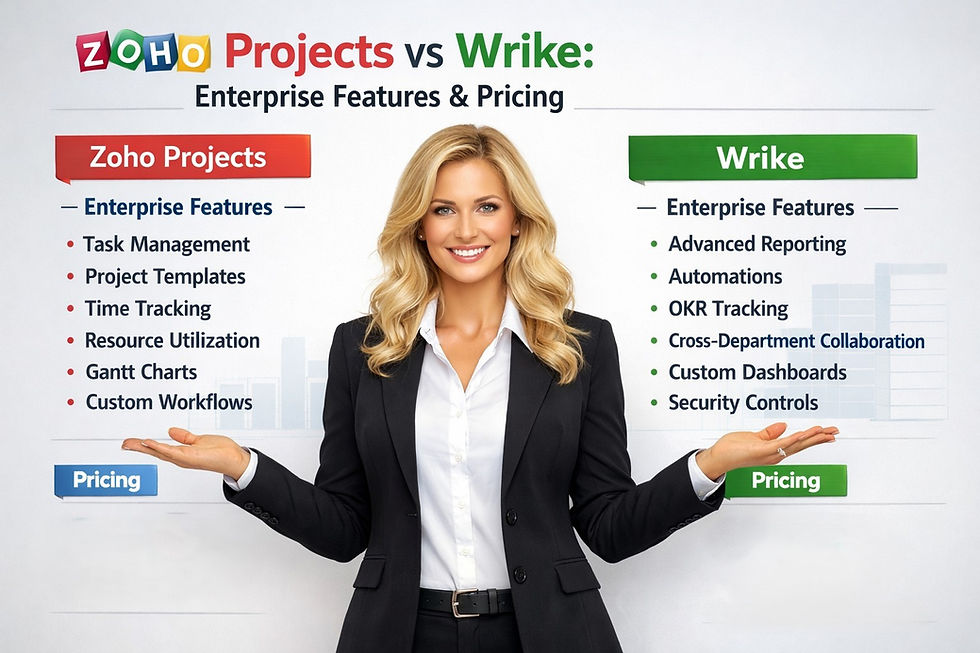
Zoho Projects stands out with its rich feature set, tailored to meet the complex needs of large organizations. One of its key features is the extensive task management capabilities, which allow teams to break projects into manageable tasks and sub-tasks. This hierarchical structuring not only aids in tracking progress but also enhances accountability among team members. Additionally, Zoho Projects supports Gantt charts, helping enterprises visualize project timelines and deadlines effortlessly.
Another noteworthy feature is the built-in time tracking tool. This function is particularly beneficial for enterprise teams that bill clients on an hourly basis or need to keep an eye on project budgets. Team members can log hours directly within the platform, making it easier to generate reports and evaluate project profitability. Zoho Projects also provides customizable dashboards, giving teams the flexibility to display the metrics that matter most to them, thereby facilitating data-driven decisions.
Moreover, Zoho Projects integrates seamlessly with other applications within the Zoho ecosystem, such as Zoho CRM and Zoho Analytics. This integration capability allows enterprises to maintain a cohesive technological environment, ensuring that project data flows smoothly between different business processes. The ability to customize workflows and automate routine tasks further enhances productivity, making Zoho Projects a compelling option for enterprise teams looking to optimize their project management strategies.
Exploring Wrike's Core Capabilities for Businesses
Wrike is tailored for enterprises that prioritize advanced project management functionalities. One of its standout features is the robust workload management tool, designed to help managers balance team resources effectively. This feature provides visibility into team members' workloads, allowing project managers to allocate tasks based on availability and skill sets. This capability is essential for enterprises that juggle multiple projects and need to ensure optimal resource utilization.
Another core capability of Wrike is its detailed reporting and analytics features. Enterprises can generate various reports, from project performance metrics to team productivity insights, enabling data-backed decision-making. The platform offers customizable dashboards, allowing teams to track KPIs that are most relevant to their specific operational goals. This level of customization fosters an environment of accountability and transparency, which is crucial for large organizations.
Wrike also excels in its collaboration tools, offering features such as real-time editing and document sharing, which are essential for enterprise teams that need to work together across various locations. The platform includes a built-in proofing tool that allows teams to review and approve documents, thereby reducing bottlenecks in the creative process. With these capabilities, Wrike positions itself as a versatile project management solution for enterprises seeking to enhance collaboration and drive project success.
Pricing Structures of Zoho Projects vs Wrike Explained
When it comes to pricing, Zoho Projects offers a tiered structure that caters to varying organizational needs. The pricing plans range from a free version ideal for small teams to premium plans that provide advanced features such as Gantt charts, resource management, and enhanced reporting tools. For enterprises, the most comprehensive plan includes features like time tracking, custom fields, and advanced analytics, making it a cost-effective option for organizations looking to maximize value.
In contrast, Wrike’s pricing model is also tiered but tends to be on the higher end of the spectrum. Wrike offers four main plans, each catering to different business sizes and complexities. Its pricing reflects the advanced features that come with the platform, such as workload management and in-depth reporting capabilities. While Wrike may require a larger financial commitment, the return on investment can be significant for enterprises that rely heavily on data analytics and nuanced project management functionalities.
Ultimately, the decision on which platform to choose may come down to an enterprise’s budget and specific feature needs. While Zoho Projects may present a more cost-effective solution for organizations with simpler project management requirements, Wrike might offer a higher value for teams needing sophisticated project tracking and reporting tools. It’s important for enterprises to assess their project management priorities in conjunction with available budgets to select the right tool.
User Experience and Interface: A Comparative Look
User experience is a critical factor when evaluating project management tools, especially for enterprise teams that rely on seamless navigation and intuitive design. Zoho Projects features a clean and user-friendly interface that minimizes the learning curve for new users. Its dashboard is easily customizable, allowing teams to arrange widgets according to their preferences. This flexibility enhances the ability to track key performance indicators at a glance, making project oversight more straightforward for team leaders.
On the other hand, Wrike's interface is also user-friendly, but it offers a more complex experience that may take some time for users to master. The platform includes various views such as Gantt charts, Kanban boards, and calendar views, which provide flexibility in how teams manage their projects. While this array of features can enhance project tracking, it can also overwhelm new users.
However, Wrike does offer extensive training resources and support to help teams acclimate to the platform.
Ultimately, both platforms prioritize user experience but cater to different types of teams. Zoho Projects may be a better fit for organizations looking for a straightforward and easy-to-navigate solution, whereas Wrike can be advantageous for teams that thrive in a more feature-rich environment and are willing to invest the time to learn its capabilities.
Collaboration Tools: Enhancing Team Productivity
Collaboration is at the heart of successful project management, and both Zoho Projects and Wrike offer tools designed to enhance team productivity. Zoho Projects facilitates collaboration through features like task comments, file sharing, and discussions. These tools enable team members to communicate effectively within the platform, reducing reliance on external communication tools. Additionally, Zoho Projects allows users to set up project milestones, which can be shared across teams, fostering a sense of collective responsibility and engagement.
Wrike, however, takes collaboration a step further with its real-time editing and document proofing features. This ensures that all team members can collaborate on documents simultaneously, streamlining the approval process and reducing time spent on revisions. Wrike's ability to integrate with tools like Google Drive and Dropbox further enhances its collaborative capabilities, making it easier for teams to access files and share information quickly.
Both platforms recognize the importance of collaboration but cater to different team dynamics. Zoho Projects might appeal more to teams that prioritize straightforward communication and project tracking, while Wrike may suit larger teams that require advanced collaborative tools for managing complex projects across various departments.
Integrations and Customization Options Compared
When it comes to integrations, Zoho Projects shines with its extensive compatibility with other Zoho applications and third-party tools. Enterprises already using other Zoho products, such as Zoho CRM or Zoho Analytics, will find that Zoho Projects integrates seamlessly, creating a unified ecosystem that enhances workflow and efficiency. Furthermore, Zoho Projects also supports integrations with popular tools like Slack, Google Drive, and Microsoft Teams, allowing teams to customize their project management experience according to their existing toolsets.
In contrast, Wrike offers a rich array of integration options, enabling users to connect with over 400 applications, including Salesforce, Jira, and Microsoft Office 365. This extensive library of integrations allows enterprises to tailor their project management environment to fit their specific workflows. Additionally, Wrike’s API provides further opportunities for customization, enabling enterprises to create bespoke solutions that meet their unique operational needs.
Ultimately, both platforms offer robust integration capabilities, but the choice will depend on the existing tools and technologies an enterprise utilizes. Organizations deeply entrenched in the Zoho ecosystem may prefer Zoho Projects for its seamless integration, while those needing a broader range of integrations may find Wrike more suitable to their operational landscape.
Frequently Asked Questions (FAQ) – Zoho Projects vs Wrike
What is the difference between Zoho Projects and Wrike?
Zoho Projects offers a suite integrated with the broader Zoho ecosystem, focusing on streamlined workflows, task management, and business operations. Wrike provides advanced project tracking, reporting, and portfolio management, ideal for complex, large-scale enterprise projects.
Which platform is better for enterprise teams?
The “better” platform depends on your organization’s needs. Zoho Projects is great for teams needing integrated tools and automation, while Wrike excels in detailed project oversight, dependency tracking, and robust reporting for multi-project portfolios.
How do pricing structures compare between Zoho Projects and Wrike?
Zoho Projects typically offers tiered pricing based on users and features, often making it cost-effective for teams already using Zoho applications. Wrike’s pricing also scales with users and enterprise features, with advanced analytics and governance tools included in higher tiers.
Can Zoho Projects and Wrike integrate with other enterprise tools?
Yes, both platforms support multiple integrations. Zoho Projects integrates seamlessly with other Zoho apps, Microsoft Teams, Google Workspace, and cloud storage solutions. Wrike supports integrations with Salesforce, Jira, Microsoft Teams, Adobe Creative Cloud, and other enterprise-grade applications.
Which platform provides better collaboration tools?
Zoho Projects offers collaboration via task comments, feeds, forums, and real-time updates within the Zoho ecosystem. Wrike provides collaboration through real-time editing, proofing tools, threaded comments, and notifications, supporting complex project communication and approvals.
Are Zoho Projects and Wrike suitable for large-scale projects?
Yes, both are designed for enterprise use, but Wrike is often preferred for highly complex, multi-project environments due to its advanced portfolio management and resource allocation capabilities. Zoho Projects works well for teams seeking structured workflows within an integrated suite.
How intuitive is the user experience for each tool?
Zoho Projects is known for its clean, user-friendly interface, making onboarding faster for teams familiar with the Zoho ecosystem. Wrike has a steeper learning curve but offers deep functionality and customizable dashboards for power users and project managers.
Can both platforms handle project reporting and analytics effectively?
Yes, both provide reporting and analytics. Zoho Projects includes dashboards, Gantt charts, and progress tracking, while Wrike provides advanced reporting, time tracking, and performance metrics suitable for enterprise governance and decision-making.
Do Zoho Projects and Wrike support mobile access?
Yes, both platforms offer mobile applications, allowing teams to manage tasks, view updates, and collaborate on the go. This ensures continuity and real-time communication for remote or distributed teams.
How should enterprises decide between Zoho Projects and Wrike?
Enterprises should evaluate team size, project complexity, integration needs, budget, and desired governance features. Zoho Projects suits teams seeking integrated simplicity, while Wrike is ideal for organizations requiring detailed project oversight and advanced reporting capabilities.
Final Thoughts: Choosing the Right Tool for Your Team
Selecting between Zoho Projects and Wrike requires a thorough understanding of your enterprise's specific needs and objectives. Zoho Projects is an excellent option for organizations seeking a user-friendly interface, cost-effective pricing, and seamless integration within the Zoho ecosystem. Its features cater well to teams needing straightforward project tracking and collaboration tools without the complexity of more intricate functionalities.
Conversely, Wrike is better suited for enterprises requiring advanced project management capabilities, robust reporting tools, and customizable workflows. Though its pricing may be higher, the return on investment can be substantial for teams that need to manage complex projects across multiple departments. The depth of features and integrations offered by Wrike may justify the cost for organizations that rely heavily on data-driven project management.
Ultimately, the decision should align with your team's size, budget, and specific project management needs. Taking the time to evaluate both platforms will empower your enterprise to make an informed choice that enhances productivity, fosters collaboration, and ultimately leads to project success.
External Source: For more insights on project management tools, visit https://www.projectmanagement.com
Discover More great insights at:


