Retrospective vs Retroactive: A Complete Guide for Project Managers

In project management two terms that frequently cause confusion are Retrospective vs Retroactive. They sound and look similar, both refer to looking back in some way, but their purpose and impact within a project context are quite different.
Understanding the difference between retrospective and retroactive can dramatically improve how project managers evaluate performance, address mistakes, and guide teams toward better outcomes in the future. In this comprehensive guide, we will explore both terms in detail, outline their applications, and discuss best practices for incorporating them effectively into project management.

What Does Retrospective Mean in Project Management?
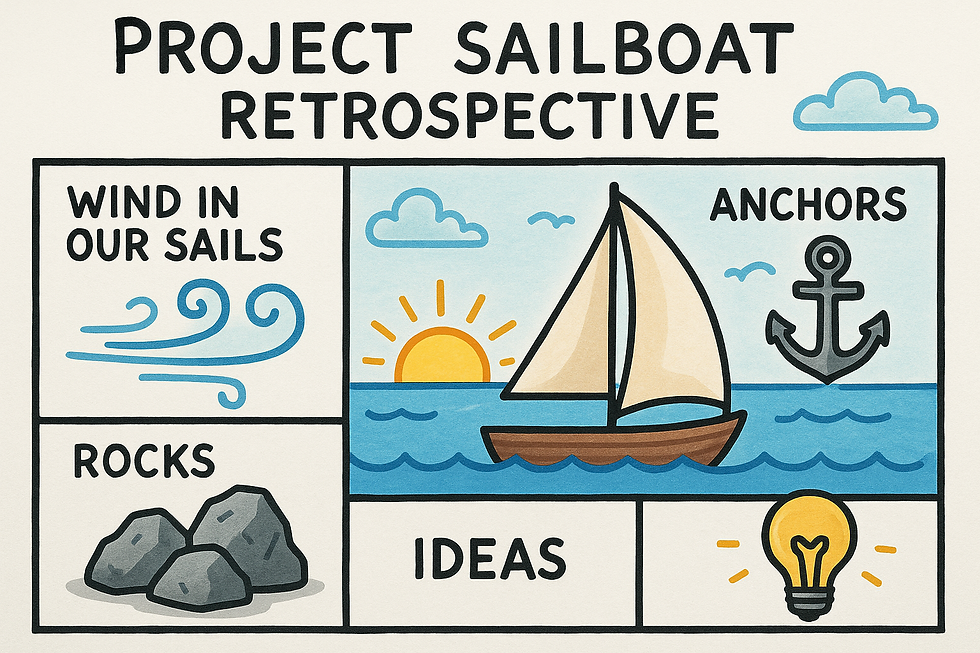
A retrospective in project management refers to a structured review meeting held after a project, sprint, or major milestone. The goal is to analyze what went well, what went wrong, and how the team can improve in the future.
This term is most commonly used in Agile and Scrum methodologies, where teams meet at the end of each sprint to reflect and identify opportunities for continuous improvement.
The Purpose of a Retrospective
The main aim of a retrospective is learning and improvement. It is not about assigning blame but about collectively understanding the team’s experiences and extracting valuable insights.
A well-conducted retrospective answers questions such as:
What did we do well during this project or sprint?
What challenges did we face, and how did we respond?
What should we change for the next iteration?
Characteristics of a Good Retrospective
Constructive and Open: Encourages team members to speak honestly about their experiences.
Solution-Oriented: Focuses on actionable improvements rather than complaints.
Collaborative: Involves all members equally to ensure everyone’s perspective is heard.
Structured: Follows a consistent format for reflection, discussion, and planning.
Retrospectives are forward-looking even though they involve reviewing the past. They focus on improvement rather than correction.
What Does Retroactive Mean in Project Management?
The term retroactive refers to actions that are applied after the fact to correct, adjust, or recognize something that should have occurred earlier.
In project management, retroactive decisions often involve making changes or corrections after a milestone or event has already occurred, such as revising project data, budgets, or deliverables based on new information.
Examples of Retroactive Actions
Retroactive Budget Adjustment: Reallocating funds after realizing a project phase went over or under budget.
Retroactive Documentation: Updating reports or logs after missing data entries.
Retroactive Policy Enforcement: Applying new rules to actions that occurred before the policy was implemented.
Retroactive Time Tracking: Adding work hours that were not logged previously.
Why Retroactive Actions Happen
Retroactive changes often occur when project managers discover discrepancies, errors, or oversights that need correction for the project to stay accurate or compliant.
While retrospectives are about learning and planning, retroactive actions are about correction and alignment.
Retrospective vs Retroactive: The Core Difference
The key difference lies in intent and timing.
A retrospective is proactive in its learning, even though it looks at the past. It seeks to improve future performance based on reflection.
A retroactive action is corrective, focusing on amending something that has already occurred to ensure accuracy or compliance.
Here’s a clear comparison table:
Aspect | Retrospective | Retroactive |
Definition | A review or reflection meeting held after a project or sprint | A corrective or compensatory action applied after an event |
Purpose | To learn and improve future performance | To correct or adjust past actions or data |
Focus | Continuous improvement | Error correction or adjustment |
Timing | Conducted after completion of a task or phase | Implemented after discovering a mistake or omission |
Impact | Improves processes for future work | Alters existing project records or outcomes |
Example | Sprint retrospective meeting | Retroactive expense approval |
Both play essential roles in effective project management, but using them interchangeably can lead to confusion and mismanagement.
Why Retrospectives Are Essential for Project Success
Retrospectives are one of the most valuable tools for continuous improvement. They encourage a culture of openness, accountability, and learning.
1. Promotes Team Reflection
Retrospectives create a safe space for teams to discuss successes and failures honestly. This collective reflection helps identify patterns that may not be obvious during the fast pace of a project.
2. Drives Process Improvement
By examining workflows and collaboration, teams can streamline communication, eliminate redundant steps, and refine processes.
3. Builds Trust and Collaboration
When team members know their feedback will be heard and acted upon, morale and
engagement improve. Everyone feels responsible for success.
4. Prevents Repeated Mistakes
Learning from the past helps avoid repeating errors in future projects or sprints.
5. Encourages Accountability Without Blame
Retrospectives promote shared responsibility, focusing on systems and behaviors rather than individuals.
Example in Agile Projects
In a software development sprint retrospective, the team might conclude that unclear user stories caused delays. For the next sprint, they decide to involve stakeholders earlier for better requirement clarity.
Why Retroactive Actions Are Sometimes Necessary
While retrospectives help teams learn, retroactive actions ensure that project data and decisions remain accurate and compliant.
1. Correcting Oversights
Mistakes are inevitable in complex projects. Retroactive changes allow managers to fix data entry errors, missed deadlines, or incomplete reports.
2. Maintaining Compliance
In regulated industries like finance, healthcare, or construction, retroactive corrections may be necessary to meet legal or contractual requirements.
3. Adjusting Budgets or Timelines
Projects often face unforeseen costs or delays. Retroactive budget adjustments or timeline updates ensure records accurately reflect reality.
4. Aligning Documentation
Sometimes teams forget to record certain deliverables or approvals. Retroactive documentation ensures the project’s historical record remains complete.
Example of Retroactive Adjustment
Imagine a construction project where materials were purchased before formal approval due to urgency. Later, the finance department may apply retroactive purchase approval to maintain accounting integrity.
Retrospective vs Retroactive: When to Use Each
Understanding when to use retrospectives and when to make retroactive changes is essential for effective project management.
Use a Retrospective When:
You want to evaluate performance and improve for the next phase.
You are closing a sprint, milestone, or full project.
You need to gather feedback and identify best practices.
The goal is learning and improvement rather than correction.
Use a Retroactive Action When:
You need to correct a record, error, or omission.
A compliance or policy change must apply to past actions.
You discover missing documentation or data.
The goal is accuracy and alignment rather than improvement.
Both are essential, but their application should match the situation. Retrospectives look ahead by learning from the past, while retroactive actions fix the past to align with standards or facts.
Common Misunderstandings Between the Two
Many teams mistakenly treat retrospectives as retroactive sessions or vice versa. Let’s clear up some common misconceptions.
1. Thinking Retrospectives Fix Mistakes
Retrospectives are not for correcting past records but for understanding how to prevent issues in the future.
2. Believing Retroactive Means Reflection
Retroactive actions are administrative or corrective, not reflective. They don’t involve lessons learned or process improvement.
3. Confusing Accountability with Correction
Retrospectives encourage ownership and improvement without revising the past, while retroactive corrections are about formal changes, not personal accountability.
4. Mixing Timing and Purpose
A retrospective happens at a planned time (like after a sprint), while a retroactive change can happen anytime an issue is discovered.
How Retrospectives Support Continuous Improvement
Retrospectives are foundational to continuous improvement frameworks like Kaizen, Lean, and Agile.
1. Identifying Patterns Over Time
Regular retrospectives reveal recurring issues, helping managers address root causes instead of surface problems.
2. Encouraging Incremental Improvement
Rather than waiting for big overhauls, retrospectives promote small, frequent adjustments that add up over time.
3. Reinforcing Team Learning
Every retrospective is an opportunity for collective learning. When teams share insights, knowledge spreads across departments.
4. Supporting Organizational Agility
By embracing retrospectives, organizations adapt faster to change, because they consistently evaluate what works and what does not.
The Risks of Overusing Retroactive Actions
Retroactive actions can be necessary, but overreliance on them may signal deeper management problems.
1. Reduced Accountability
If teams know that errors can always be corrected later, they may take less care in following procedures.
2. Inaccurate Reporting
Frequent retroactive adjustments can distort data, making performance tracking unreliable.
3. Compliance Risks
In regulated sectors, excessive retroactive changes may raise red flags during audits.
4. Delayed Decision-Making
Constantly revising past records can slow progress and create confusion about which version of information is correct.
Retroactive actions should be used sparingly and only when necessary to preserve accuracy.
Integrating Retrospective and Retroactive Approaches
In a well-managed project environment, both retrospective and retroactive approaches have their place. The key is to balance reflection with correction.
1. Start with a Strong Retrospective Framework
Schedule retrospectives regularly at the end of major milestones. Use them to identify what should be improved before the next cycle.
2. Define Rules for Retroactive Adjustments
Establish clear guidelines for when retroactive changes are allowed. Require documentation and approval for transparency.
3. Use Technology to Track Both
Project management tools like Jira, Trello, and Asana can track retrospective outcomes and log retroactive changes for audit trails.
4. Link Retrospective Insights to Process Updates
If retrospectives reveal recurring issues, update project procedures so that retroactive corrections become less necessary.
By combining proactive learning with responsible correction, organizations achieve continuous improvement without compromising accuracy.
Real-World Scenario: Software Development Example
Retrospective Scenario
A software team finishes a sprint and holds a retrospective. They discover that unclear acceptance criteria caused confusion. The team agrees to involve the product owner earlier in defining requirements for the next sprint.
Retroactive Scenario
After deploying a feature, the team realizes a documentation error caused a mismatch between the code and release notes. They issue a retroactive correction to align the documentation with the actual feature behavior.
Both actions improve outcomes, but the first focuses on learning, while the second focuses on correction.
Conclusion
In project management, retrospective and retroactive serve distinct but complementary purposes.
Retrospective focuses on reflection, learning, and continuous improvement.
Retroactive focuses on correction, alignment, and accuracy.
By using retrospectives to evaluate performance and retroactive measures to correct mistakes, project managers create an environment of accountability, transparency, and growth.
The most successful organizations strike the right balance between learning from the past and correcting it when necessary, ensuring that teams evolve, adapt, and improve continuously.
Professional Project Manager Templates are available here
Key Learning Resources can be found here: